Using ACFs in templates and creating custom post types
Workshop Intro
You can move quickly when you don’t have to design and build the whole form.
It is still design though. You have to plan it out – and choose the right fields to go with the right resources – but there’s plenty of room in-between ‘planning’ and ‘implementing.’
For now – you can just TRY IT! and see what happens. Push and Pull.
Workshop goals
-
Create some field groups with ACF
When you figure out what data you’ll need, you can quickly design a set of fields for the admin panel. Remember, this admin panel is likely for the client too.
-
Get those fields showing up on the screen
Look up the_field() and get_field() and see how to use them. ACF has really great docs.
-
Start building out your custom post types
You may only need one, but that’s not as much fun. Try and think of a project with a few different things to connect.
Key
concept
Attribute
A quality, feature, or characteristic of something.
In this case, you can think of the fields as the attributes for the resources (the post types).
MONSTER
name: String
age: Number
adopted: Boolean
favoriteBook: Book
(see how “Book” is another resource?)
Taking some notes would be a good idea
Keep track of the things as you watch this video. You can also write down some timestamps for areas you want to revisit.
An overview
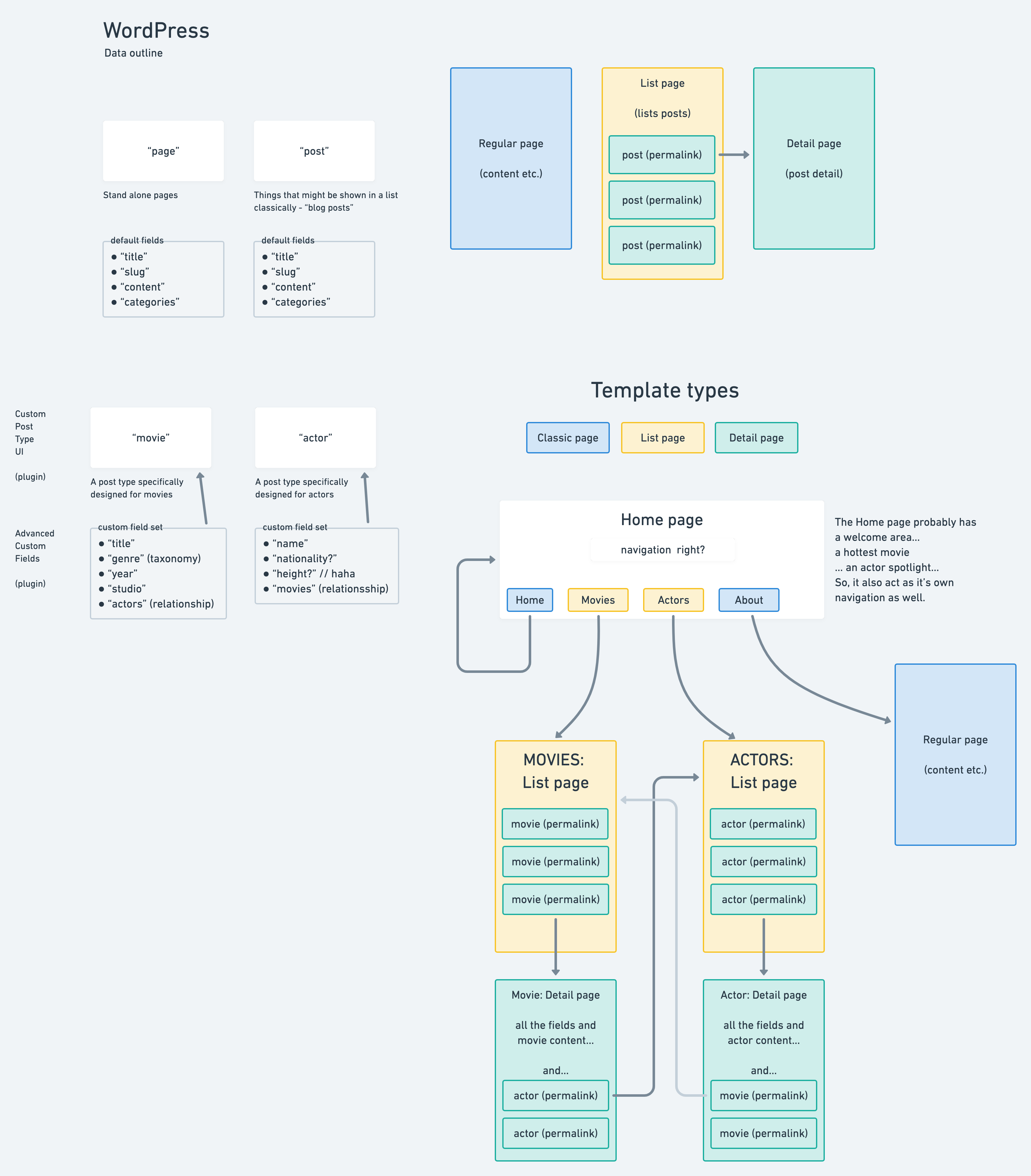
Here’s a map of how a “Movie” and “Actor” site might work.
“Movies” and “Actors” can be interchangeable with whatever you’d like.
Here’s a link – where you can also leave comments and stuff.
Exercises
-
Well, watch the video...
They go pretty fast! So, you might need to watch some parts twice!
-
Write out your plan
Share it with the team – before you start.
-
Do the things
Deliverables
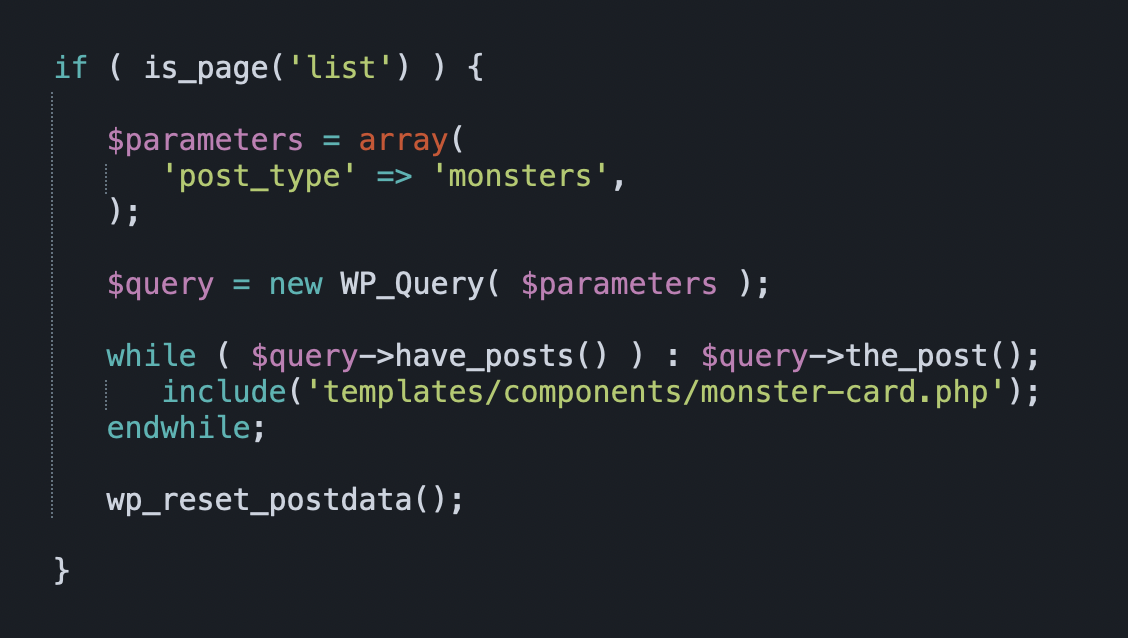
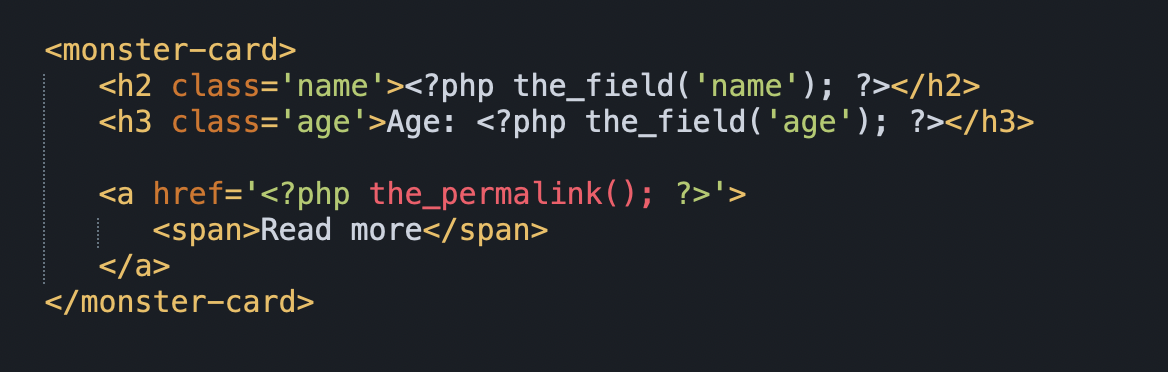
(very little code, right?)