Metadata mysteries and caching
Introduction
When you’re building your first sites (unless you do everything “right” the first time) (rare / and doesn’t help us explain this point and actually learn….) — you’re going to run into the situation where your metadata image isn’t showing up!! What is up with that!?
html
Urls for HTML meta data
<head>
	<title>Affinity Images</title>

	<meta property='og-image' content='images/meta-image.jpg'> <!-- won't work! -->
	<meta property='og-image' content='//peprojects.dev/karthik/images/meta-image.jpg'>
	<meta property='og-image' content='https://peprojects.dev/karthik/images/meta-image.jpg'>
</head>

<body>
	<img src='images/meta-image.jpg' />
	<img src='images/meta-image.png' />
	<img src='images/meta-image.svg' />
</body>

<!--
	your folder =>	  https://peprojects.dev/username/  +  images/meta-image.jpg

	<img src='images/meta-image.jpg' />
-->
“Relative” urls are relative to where we are in the code. So, your regular images (when you use them) — will be based on your file structure. That way, they work the same on your local system and the live server (or any number of servers) without having to go replace the url everywhere (that would be so annoying we’d quit).
But, link preview services (like what Facebook and Slack use) fetch your HTML, read the OG tags, then pull the image to their own servers. They have no page context, so the URL must be the full address.
Any metadata that’s designed to be consumed by external tools needs to stand alone.
…
You’ll sometimes see URLs written without the http: or https: part — just two slashes, like //example.com/script.js. This is called a protocol-relative URL, and it means “use whatever protocol the current page is using.” It was a clever trick from years ago, back when websites were switching from HTTP to HTTPS and developers wanted their links to work in both worlds. Every site uses HTTPS now. So the trick solves a problem that doesn’t exist anymore — and it can quietly break things. Write https:// explicitly whenever you need a full URL.
You’ll probably have already shared your link before.
Next time you share it, it might try and use that previous copy (that doesn’t have your new code yet)
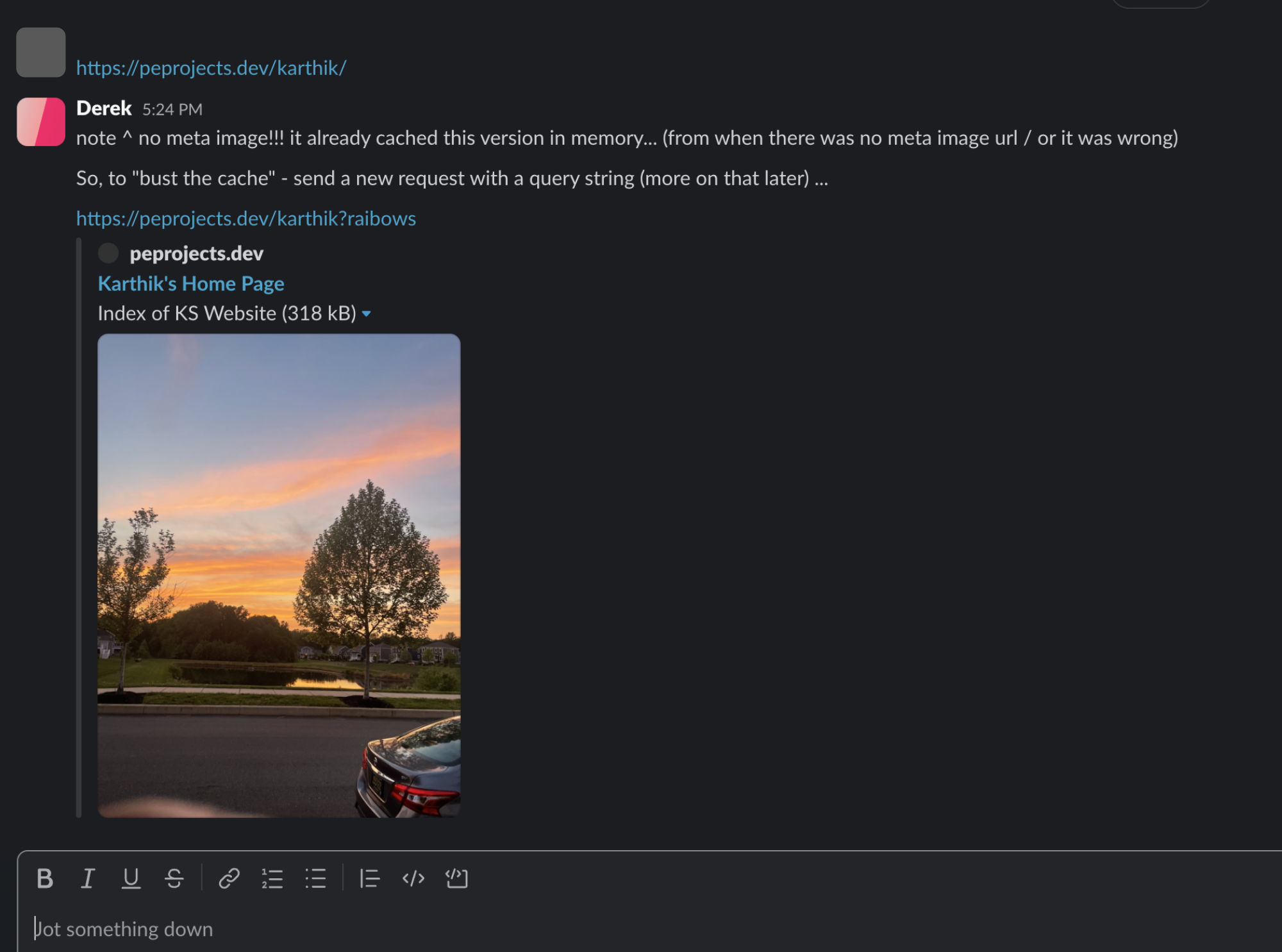
For messages, slack, twitter type sharing — they’ll have kept a copy – so, – instead of waiting a long time for that to reset…) -the way we can trick them into requesting a NEW version of the page — is by creating a unique HTTP request via a querystring.
mysite.com?whatever-unique-thing
… will request the site again (fresh)
You’ve probably seen site urls like ecom.com?promo=abc123 (and that’s a totally unique request for a new version of the page / sending along the promo code with it)
…
So — you need to hard refresh often as a developer. And you’ll need to sometimes trick the system.
Just a reminder
The data in the <head> is not shown on the page as content. It’s information about the page like a secret little business card that gets sent along with it. It’s there for other websites/tools to use (optionally).
The data in the <body> is what will actually be read by the browser to be displayed on the page/browser viewport. That’s clicking, right?
Deliverables
So, what can we do to prove this is all clear?