How to deal with a fake recruiters on LinkedIn
UX goal: draft
A reader can:
- understand the topic well enough to use it
- see who wrote it and when it was last updated
- mark it read and leave feedback, when signed in
Introduction
There are many types of fake recruiters. But for now, let’s cover this very common one.
The message arrives
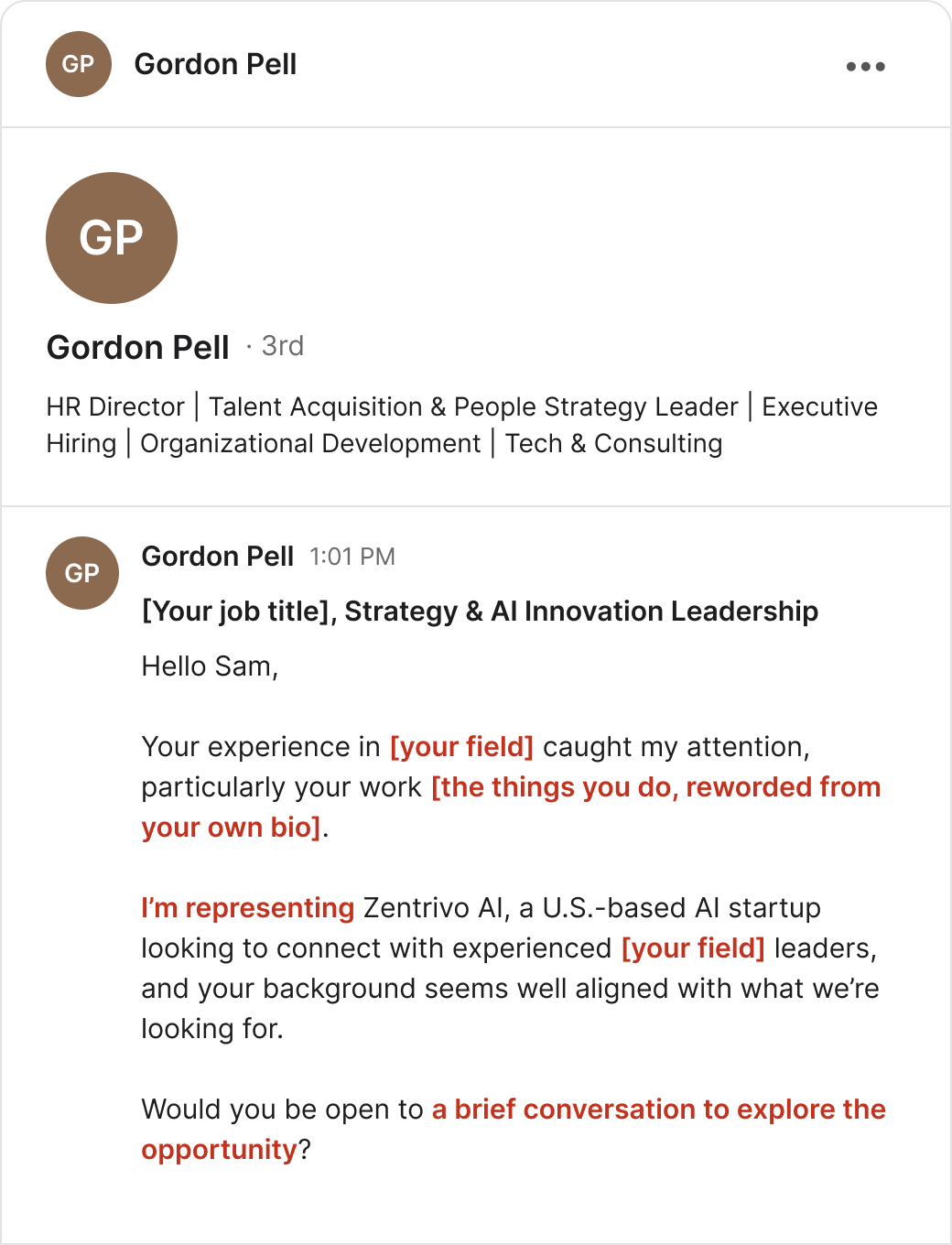
- The headline is a bunch of keywords.
- The compliment is your own bio, reworded.
- “Representing” a company. Not “I work at.”
- No real job title, jost posting link, or pay scale.
But you can’t tell yet if this is a scam or a real person leaning on AI to write – and automate things. (We’ve seen some that were actually real)
Ask four things
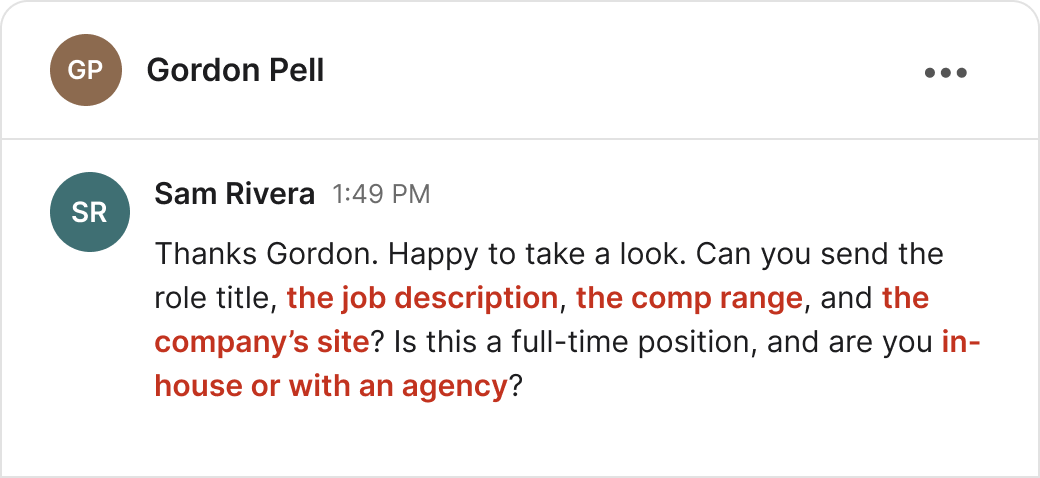
- The job description
- The company’s website
- The pay range
- Who they work for
A real recruiter will have all four on hand – and will be able to answer you.
Copy this and change the name:
Thanks [sender]. Please you send the role title, the job description, the comp range, and the company’s site. And any other information: is this a full-time position, contract, remote etc.. And are you in-house or with an agency?
See if they answer
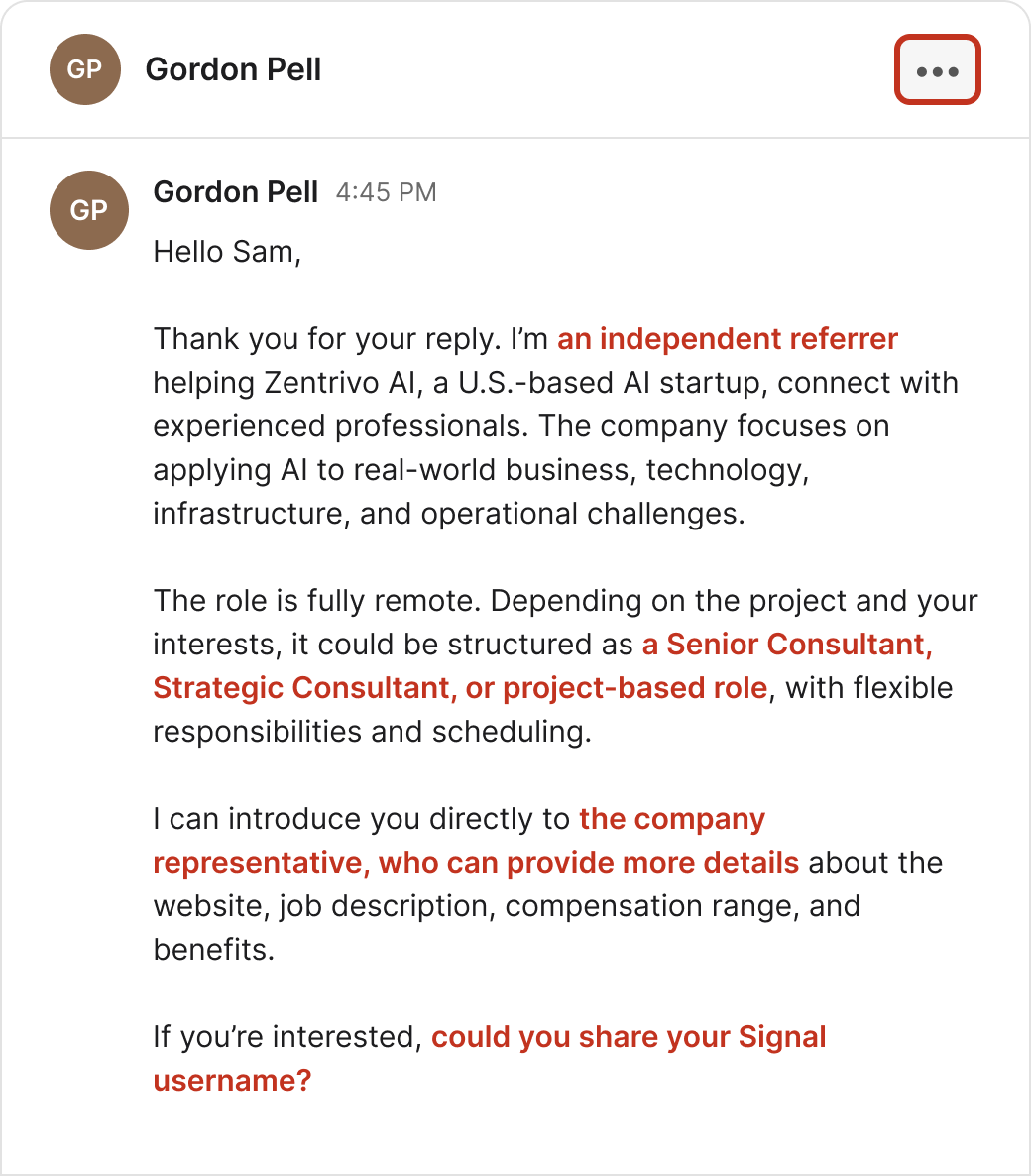
- “Independent referrer.” In the first message he was “representing” the company.
- You asked for four things. You got none. All of it is promised later, from someone else.
- The job turned into three vague consulting titles. That is not a job.
- “Could you share your Signal username?” This is the tell.
Moving you to Signal, WhatsApp, or Telegram takes the conversation where the site can’t see it or remove it. That is where the real conversation will happen: help getting your resume ready, a fee, your ID, your bank details, or an “investment.” Just stop here. Don’t reply.
Next: click the three-dot menu at the top right of the conversation.
Open the menu
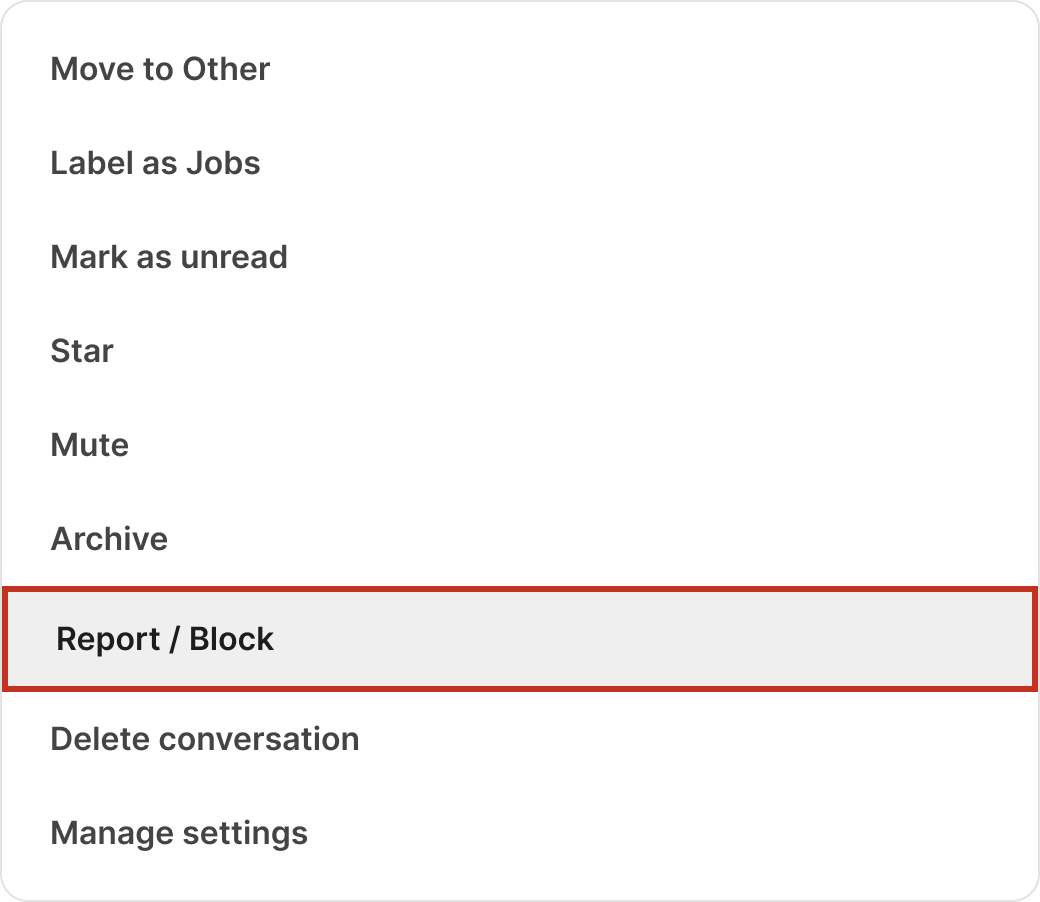
Don’t just delete it. Deleting is fast — but reporting it will (hopefully) help protect the next person.
Next: click Report / Block.
Report the message and block
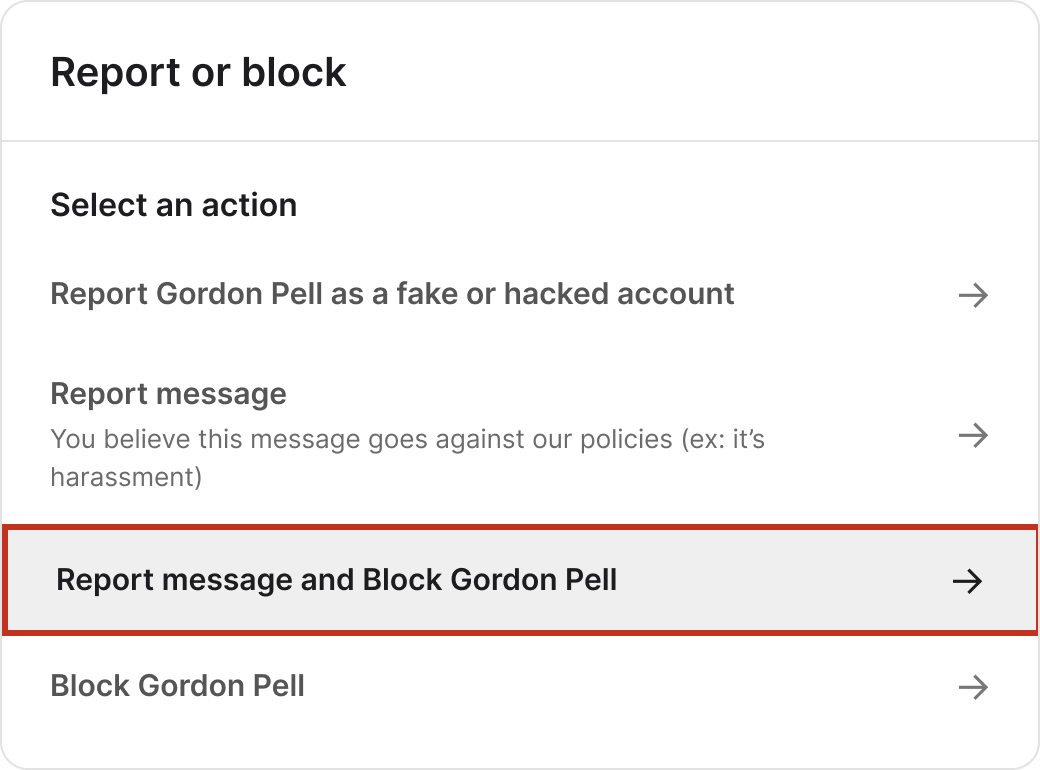
Pick the third. It sends the message itself as evidence and blocks him in one step.
Next: click Report message and Block.
Pick the reason
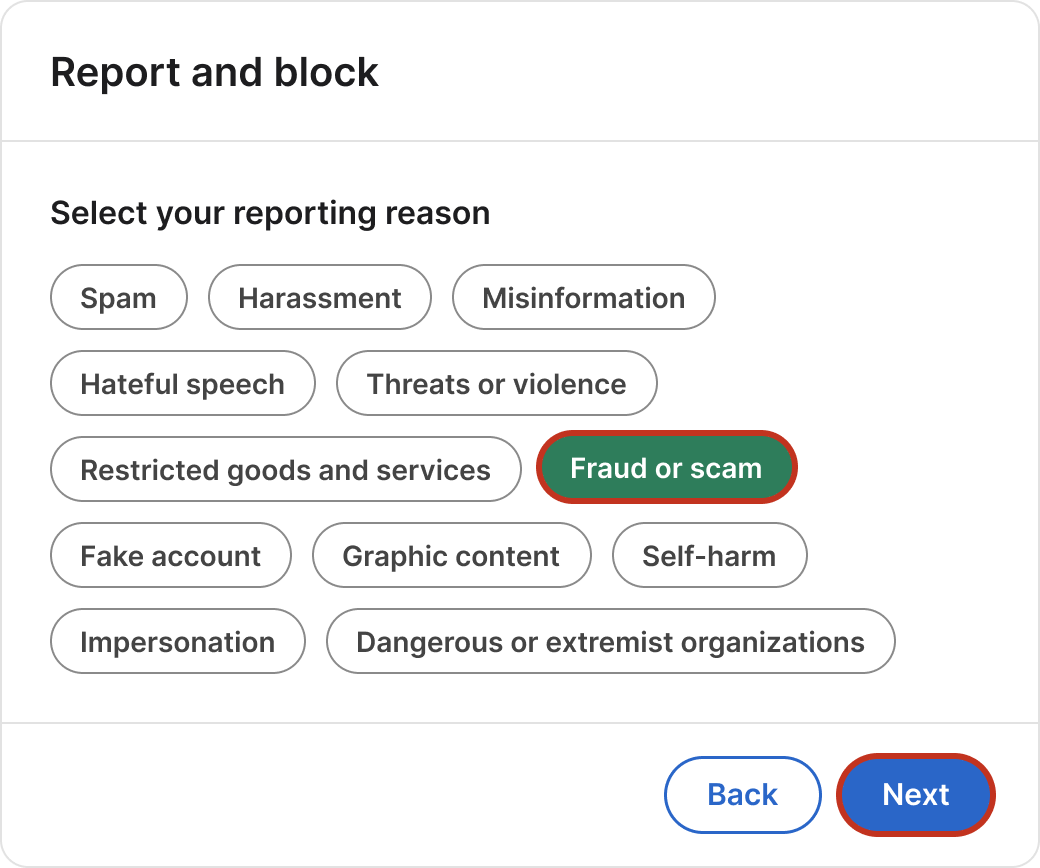
- Spam gets treated as a nuisance.
- A reviewer won’t see “harassment” in two polite messages. (even though it certainly is)
- Impersonation needs a real person being imitated, and you’d be guessing who.
It feels like all of them at once. But pick the one a stranger can confirm by reading the thread. A fake job followed by “send me your Signal” is fraud.
Next: click Fraud or scam, then Next.
Check it and submit
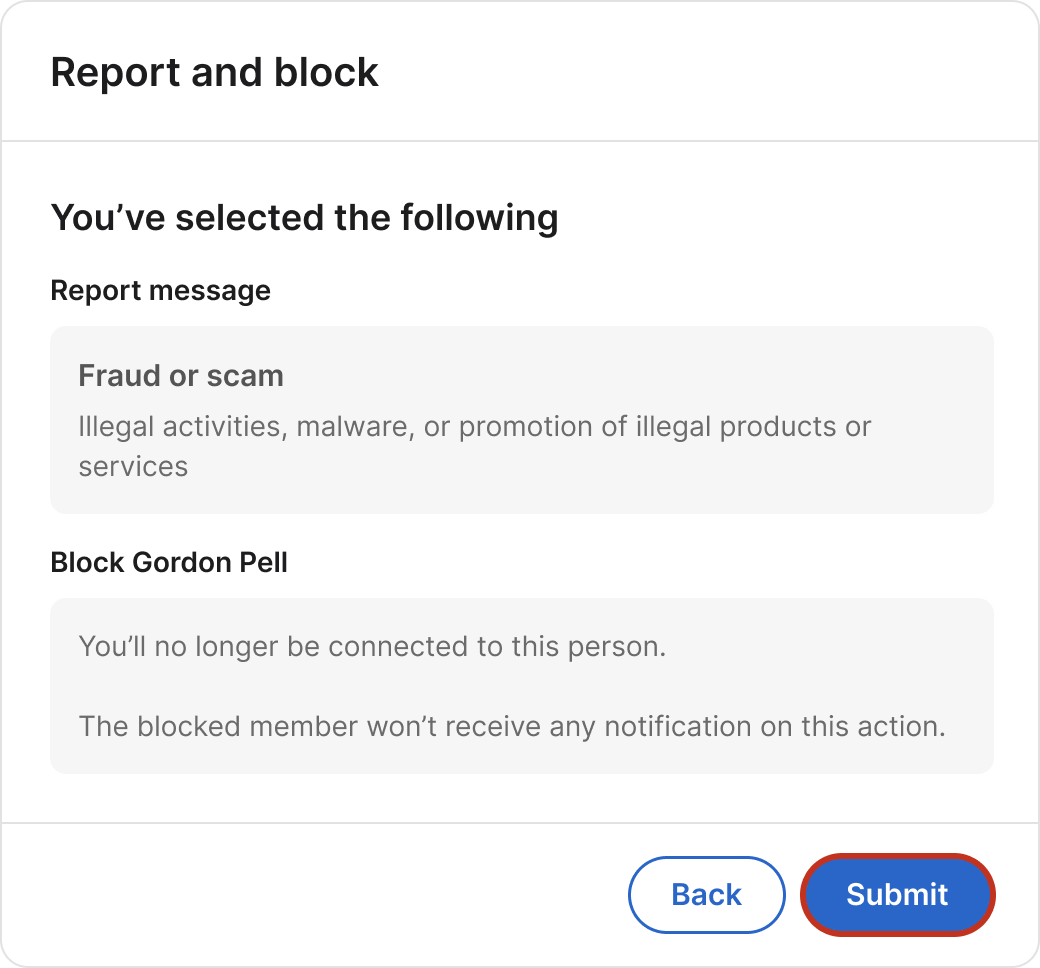
One last look. It names the reason you picked and tells you what blocking does. The other person is not told you reported or blocked them.
Next: click Submit.
Done
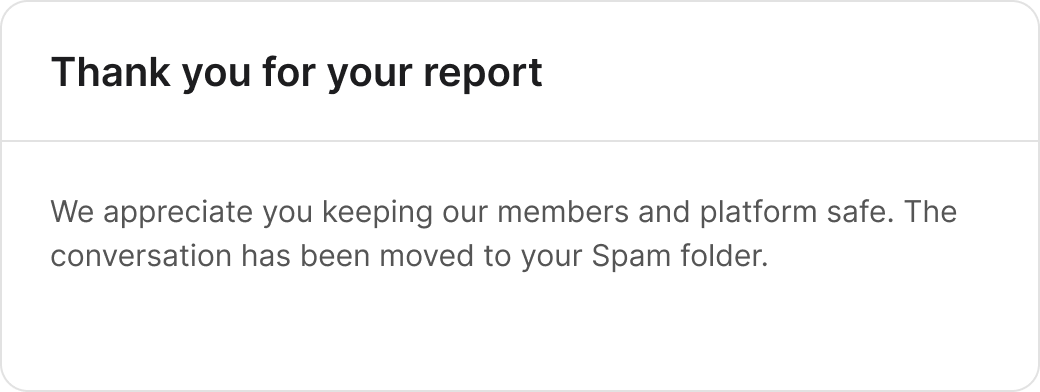
The whole thing just took a few clicks.